
AI Risk & Readiness Assessment
Your Staff Is Already Using AI, Whether or Not Anyone Approved It.
Find out where it's in use, what data it touches (PII, ePHI, and other sensitive data), and what to fix before a board member, customer, or auditor asks.
The AI Risk & Readiness Assessment gives your organization an independent, evidence-based picture of your AI risk in 1-2 weeks, for one flat fee.
Why This Matters
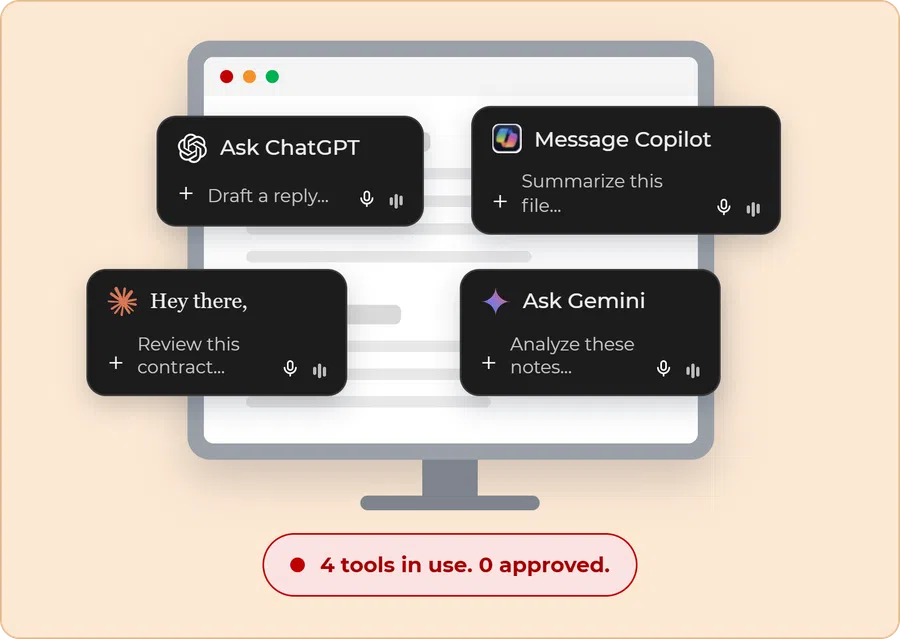
AI adoption didn’t wait for a policy.
Staff are summarizing documents, drafting emails, and building reports in ChatGPT, Copilot, and Gemini, often in personal accounts that your compliance program can't see.
That's sensitive data leaving your environment, whether that's PII, ePHI, or other confidential information, and your customers, partners, and auditors are starting to ask how you govern it. Either way, the question is coming. The only choice is whether you have an answer when it does.
Most organizations don't have a list of approved tools, an owner for AI decisions, or a way to show anyone what's in use.
The Problem With Waiting to Find Out
“We’re working on it” isn’t an answer.
What Feels Like Preparedness
-
• An AI policy that’s drafted but never approved.
-
• A ban that nobody follows.
-
• Staff using a personal AI account “just for drafting.”
Risk & Impact
-
• A board member, customer, or auditor asks how you govern AI. You have nothing to show.
-
• You can’t govern what you can’t see. And you can’t defend a program you never built.
-
• ePHI, PII, or other sensitive data leaves your environment, and there’s no record of where it went.
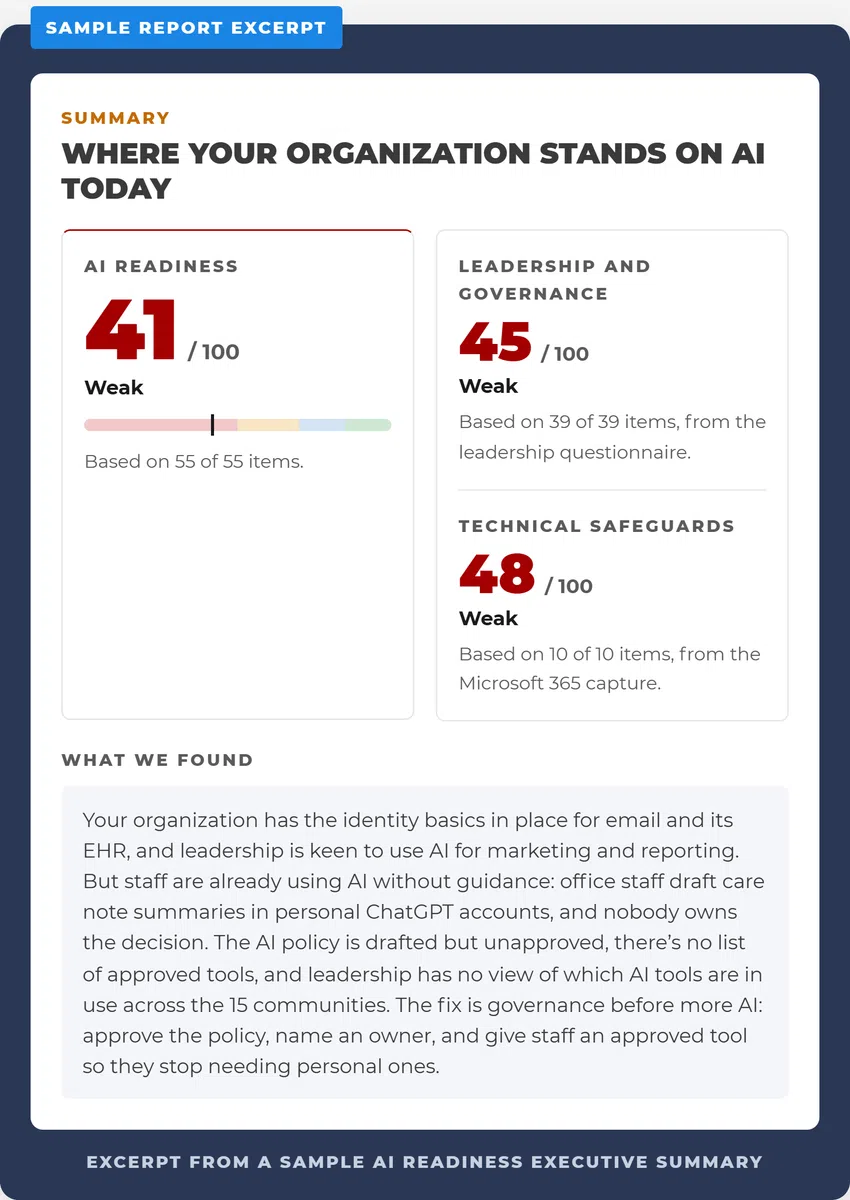

Findings across key AI readiness areas, ranked by likelihood and severity
Your top 3 priorities for the next 90 days
Executive summary and detailed findings report
Findings review session with your leadership team

Schedule

Capture

Review
Who This Is For
-
Organizations that need to know what AI staff are using and what data it touches
-
Service providers and vendors whose customers are asking how they govern AI
-
Executives and boards responsible for risk oversight
-
Compliance and privacy officers
-
IT leaders who need a defensible starting point for AI governance
Who it’s not for
-
Organizations not on Microsoft 365, or teams looking for an AI tool recommendation rather than a governance review.
Investment
AI Risk & Readiness Assessment
$1,995
one-time • 1-2 weeks
All core deliverables included
What happens next: Many clients keep their AI risk and compliance program current through our ongoing compliance and vCISO programs, Continuous Assurance and Elevate. Sign within 90 days and your assessment fee is credited toward your first month.
Getting security questionnaires from your customers or partners? Ask about bundling with our Security Risk Assessment. The two share discovery work.
Powered by CaptureOps
Most security programs live in a drawer. Ours don’t.
Your assessment runs on CaptureOps, the platform behind every Continuous compliance and vCISO program. Your leadership team completes a short questionnaire and your staff answers an anonymous survey. We pair that with your Microsoft 365 settings, so your scores are based on evidence instead of opinion.
If you continue with Continuous Assurance or Elevate, your findings carry straight into your live CaptureOps program. Nothing starts over, and your AI governance stays current instead of going stale in a report.
Frequently Asked Questions
How much does an AI risk assessment cost?
How long does it take?
Do we need an AI policy before we start?
What’s the difference between this and a free AI readiness quiz?
Can our current IT provider or MSP do this?
Is this a HIPAA assessment?
What happens after the assessment?
Ready to See Where You Stand on AI?
The outcome isn’t just a report. It’s evidence your leadership can act on.
Contact
(332) 217-0601
hello@continuous.net
We bring
structure, coordination, and ongoing oversight so your environment stays
aligned and your team always knows what to focus on next.


